Hall County Schools
    • School Directory
    • What's For Lunch?
    • Calendar
    • CRCT Review
    • eBooks
    • Infinite Campus
    • HallConnect
    • Follow Us on Twitter
    • Home
    • Finance
    • Departments
    • Special Education
    • Transportation
    • Student Services
    • Student Service Information
    • Health Services
    • Student Online Registration
    • Facilities & Construction
    • Board of Education
    • Balanced Scorecard
    • Board Minutes
    • Board Meeting Dates
    • Teaching & Learning
    • Document Library
    • School Safety
    • School Food Nutrition
    • School Nutrition Website
    • Technology
    • Human Resources
    • Employment Information
    • Job Openings
    • Central Office
    • District News
    • District Videos
    • Gardens on Green
    • Annual Report
    • Payroll
    • SPLOST
    • Employee Portal
    • Office 365
    • Office 365 Redirect1
    • Teaching & Learning
    • School Agendas & Planning Guides
    • Calendar 2016
    • Calendar 2014

    Google/Microsoft File Transfer for Seniors

    Congratulations HCSD Senior!  You have made it, and we wish you the best in all of your future endeavors!   Months after graduating, many seniors discover that they may need access to their HCSD Google and Microsoft files. For this reason, we strongly encourage all students to either download or transfer their data so that they can access these resources even after their HCSD accounts are no longer available. 

    Google:
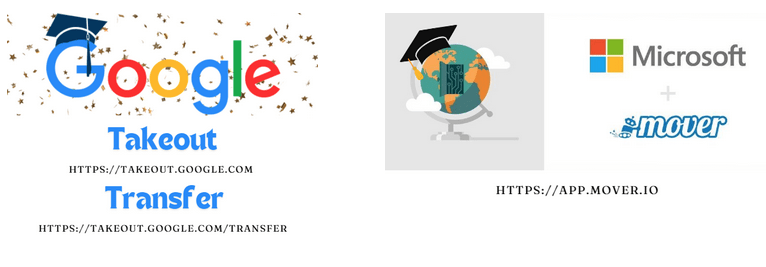
    Google has made the process to transfer files quite simple. You can choose to download files via Google Takeout or you can copy your Drive to a personal Google account via Google Transfer. 

    Google Takeout allows you to create an archive of your resources from your HCSD Google Account in one zip file that you can download. You can then extract and upload these resources to another Google account or open them locally on your computer. Google Takeout Directions

    Google Transfer allows you to copy your Google Drive Files from your HCSD Google account into a personal Google Account. All of your resources will be copies of the original content. Please note, if you have a large amount of data in this account, you may be required to purchase additional storage in your personal account in order to transfer the data. Google Transfer Directions 

    Microsoft:
    Most students have less than 100MB in their OneDrive account. A small jump drive can be used to download your files.  Another option is to use the Mover Transfer Wizard.  

    Mover Transfer Wizard allows you to transfer several files to your personal OneDrive. Mover Transfer Wizard Directions

    Additional Resources:
    Access Google Takeout
    Access Google Transfer
    Access Mover Transfer Wizard
    Technology Menu

    • Technology
    • About Technology
      • e-learning
      • Digital Convergence
    • ParentSquare
    • Duo Information
    • Launchpoint
    • Technology Documents & Forms
    • Technology Help Desk
    • HS Chromebooks Tech Support (ENG/SPA)
    • Internet Safety
    • District Approved Technology Devices
    • School Logos & Branding Guides
    • Google/Microsoft File Transfer for Seniors
    • Virtual Program
    2026 © Copyright - Hall County Schools | Character, Competency, Rigor ...For All
    • Link to Facebook
    • Link to X
    • Link to Youtube
    • Link to Mail
    Scroll to top Scroll to top Scroll to top
    Create a Mobile Website
    View Site in Mobile | Classic
    Share by:
